Navigation and Content
This is how the website of CNTR works
You first get to the homepage.
In the top right-hand corner,
you can see:

You can choose:
Do you want the page in English?
Click on EN.
Do you want the page in German?
Click on DE.
On every page you see this field:

This is the search field.
Maybe you can not find something?
Type in the field what you are looking for.
Click on the search icon.
Or press the Enter key on the keyboard.
You then get a list of search results.
The CNTR logo is on the homepage
in the top left-hand corner.
The logo is a blue and white image.
The logo is on every page.
If you click on the logo,
you go back to the homepage.
You can see a blue box at the top of the every page.

In the blue box, there are 7 terms:
- About us
- Research
- Publications
- Policy Advice
- Media
- News
- Events
When you click on a term,
you go to a new page.
You can find information about that term.
The information is in complex language.
We now explain what you can find there.
About us
You can find information about CNTR.
There is also information about CNTR in easy-to-read English.
Do you want to read the information in easy-to-read English?
Click here: Information about CNTR

There is also information about the team.
The team are the employees.
The name of the contact person is at the bottom of the page.
The contact person is: Prof. Dr. Malte Göttsche.
The e-mail address is: malte.goettsche(at)prif.org
Research
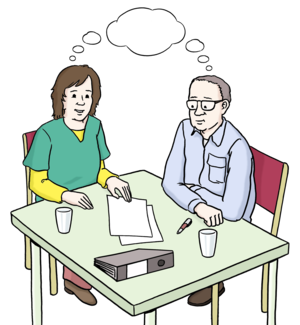
The scientists at CNTR do research.
Research means:
Experts study a specific topic.
They want to discover something new.
On the Research page, you can find:
- the research groups at CNTR, and
- the staff members of the research group.
Publications

Publications are releases.
For example:
- books
- journal articles
The publications are from the research groups.
You can find information about the publications.
Policy Advice
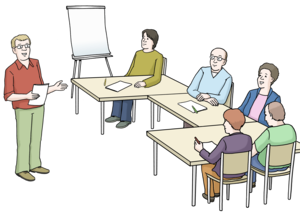
The employees of CNTR give policy advice.
This means:
The employees talk to politicians.
They tell them what they learned from research.
They also talk to other scientists.
And they give presentations at events.
On the Policy Advice page you can see
what the employees have done.
Media
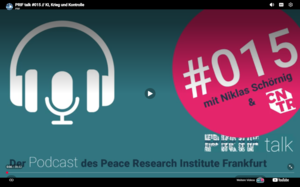
Media are, for example:
- audio recordings or
- videos of presentations.
On the Media page,
you can find a link to audio recordings.
These audio recordings are called podcasts.
You can also find links to videos of events.
News
On the News page,
there is a list of the latest news.
The name of the news is a link.
Click on the link.
You can then read the news.
Events
Events are, for example:
- discussion groups
- lectures
You can find information about the events:
- the name of the event
- the date
- the location
The name of the event is a link.
Click on the link.
You then get more information.
Text: © Petra Eppig, Büro für einfache und Leichte Sprache, November 2023, Update 2026
Images: © Lebenshilfe für Menschen mit geistiger Behinderung Bremen e.V., Illustrator Stefan Albers